


 Atelier 801
 Transformice
 Having trouble connecting to the game? Read this! Having trouble connecting to the game? Read this! |
 Laeldiflorence Laeldiflorence « Citoyen » 1477471740000
| 0 | ||
zagear a dit : Well.. You're lagging |
 Laeldiflorence
 Profil
 Derniers messages
 Tribu
Tribu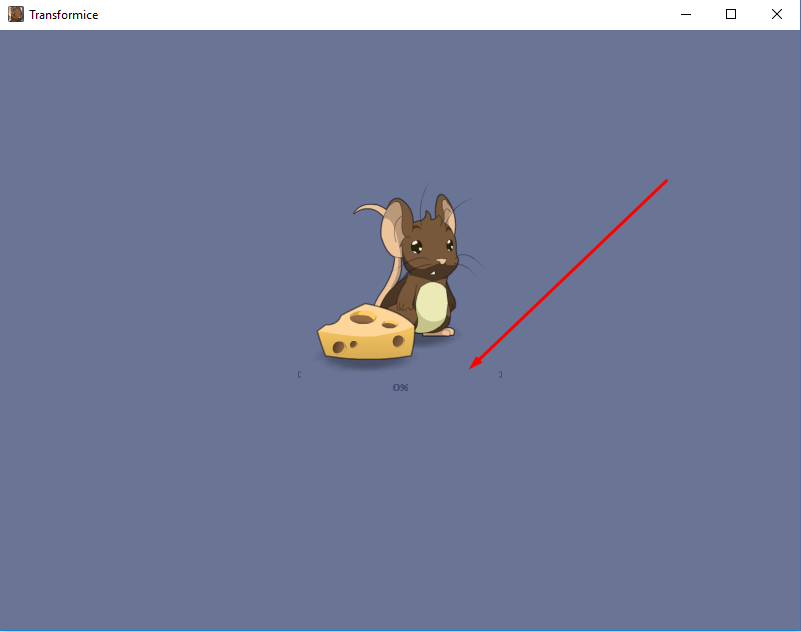
Phineasim  « Citoyen » 1477693020000
| 0 | ||
dicegamer123 a dit : Not really, I have the same bug the steam version doesn't load, but the online version does |
 Phineasim
| Hope8love 1478442060000
| | ||
| [Modéré par Jacob, raison : Spam] |
 Hope8love
| 0 | ||
| Receiving error connecting to the server. 1. When did you started having the issue?:Yesterday 2. Screenshot: http://prntscr.com/d5h8tn 3. Have you tried on a different PC with the same internet connection? What was the result?: No. 4. Have you tried on the same PC, but with a different internet connection? What was the result? No. 5. Do you use a browser or a standalone?: Both don't work. 6. What company provides your internet (ISP)?: Buffalo. 7. The result after each of the potentional fixes listed above: Nothing. Also, works on other networks, but not my network. Why? It's fixed now. Dernière modification le 1480646460000 |

| Spcll 1478779080000
| | ||
| [Modéré par Batt_mellamy, raison : Double post. Please edit your original post next time by clicking on your avatar/ username and pressing "Edit".] |
| Spcll 1478798340000
| | ||
| [Modéré par Batt_mellamy, raison : Triple post] |
Magicswirls  « Citoyen » 1479248700000
| 0 | ||
| sometimes i just reload when i see Version Incorrecte it works |
| 0 | ||
| • Serveur satellite.....................[ECHEC] • Serveur satellite.....................[ECHEC] • Serveur satellite.....................[ECHEC] • Serveur satellite.....................[ECHEC] • Serveur satellite.....................[ECHEC] Solution, Please? |

Deco_1  « Citoyen » 1480631520000
| 0 | ||
| 1. When did you started having the issue?: Today 1/12/2016 after 8am PDT (GMT - 8) 2. Screenshot: http://i.imgur.com/JZBNPXA.png stays on this screen + flash crashes 3. Have you tried on a different PC with the same internet connection? What was the result?: No 4. Have you tried on the same PC, but with a different internet connection? What was the result? No 5. Do you use a browser or a standalone?: Browser on a Chromebook 6. What company provides your internet (ISP)?: Comcast (Portland, OR USA) 7. The result after each of the potentional fixes listed above: No change after clearing cache / cookies. May try factory resetting the Chromebook since it could just be a Chromebook issue. Screenshot:
|

| Chriskara « Citoyen » 1480644600000
| 0 | ||
| Right when I log in, and I see the map, it says that I have a connecting error ;-; |
Winjid  « Citoyen » 1480696500000
| 0 | ||
| @Deco_1 Prior to this problem have you changed internet settings or anything related? You can do a system restore which forgets recent edited settings with your computer if you may have changed something you don't remember. Did the problem just arise out of the blue? Try reinstalling/updating your flash player to the latest version and give it a go. Also, try using different versions of the same game from different browsers available on the Inet. Hope it works soon! chriskara a dit : Is it the one with the shaman queen loading and repeating [Echec] all over again? Clear your cache, reset your internet and try again. :) |
Goldstar345  « Citoyen » 1481109060000
| 0 | ||
| Hi! On my Home Laptop Transformice works perfectly fine. But when i try to play transformice on school it says this: Tentative de connexion au serveur (5555)... and the numbers are changing over time too: Tentative de connexion au serveur (44444)... I've tried to figure out if my school has blocked Transformice or anything but i don't think they have. i believe that the school laptops use windows 7 if anyone know what i can do, please tell me! would be very happy! :D i wanna play Transformice on school cause when the others eat i usually have 30 mins - 1 hour free time on my laptop would be very happy if i could play Transformice on school too! cause sometimes AJ can get kinda boring. it's only the Pc's and laptops that get this problem on the school's windows surface's i can play Transformice but i dont have my own surface, it would be cool if i could play Transformice on my own laptop! Dernière modification le 1481109840000 |
| Winjid « Citoyen » 1481114220000
| 0 | ||
| @Goldstar345 This Tentative de connexion au serveur (5555)... is a bit of a problem nowadays. So far in my experience, it has been solved only by connecting through a different hostname through Steam and other not-so-easy ways. Connecting through Steam usually solves it. Also, are you sure the school hasn't blocked it? My best guess would be that the school IP and ISP doesn't allow itself to connect through tfm ports. That's why you're having that problem. Do you always use one computer to play tfm? Try checking from another computers and see if it works. It wouldn't work mostly because of the configuration of computers sharing one Ip itself through the LAN but there's no harm. :) |
| Goldstar345 « Citoyen » 1481193360000
| 0 | ||
| in the beggining of august 2015 it worked perfect on my school but then after Christmas it didn't work anymore |
| 0 | ||
| 1. When did you started having the issue?: Like 3 weeks 3. Have you tried on a different PC with the same internet connection? What was the result?:Yes, it worked on the other pc but not on mines. 4. Have you tried on the same PC, but with a different internet connection? What was the result? Didn't try but I don't think that's the problem. 5. Do you use a browser or a standalone?: Both 6. What company provides your internet (ISP)?: Fastweb (Italy ) 7. The result after each of the potentional fixes listed above: Didn't work. |

| 0 | ||
| Sorry for not explaining, alright, so my problem is that whenever i get on tfm, I'm not able to open friend list, tribe or roomlist and after 10 seconds it crashes. I'm very annoyed and I don't know how to fix this cause I'm sure it's not my internet since I play other atelier games like nekodancer and works perfectly. |
| Keskingoz100 1482058620000
| | ||
| [Modéré par Calysis, raison : Spam.] |
| 0 | ||
| Usually, the game will stop loading after the Atelier 801 logo pops up and sometimes it just crashes while I'm playing- I think it's my Apple laptop that can't handle it because my desktop is usually fine. |

Purplepree  « Citoyen » 1482881940000
| 0 | ||
| What if it's a plugin? |
Shrimpykat  « Citoyen » 1483208640000
| 0 | ||
deco_1 a dit : I have been having the same issue, every time I log in it freezes. If I try refreshing the page, flash ends up not working. I have tried a lot of different ways but still doesn't work on my Chromebook. Edit; Tried this also on other tfm games, freezes yet again Another edit; This works on my dell computer, but I think somethings wrong with the flash for this game in my chromebook Dernière modification le 1483212840000 |