


 Atelier 801
 Transformice
 Questions & Answers Questions & Answers |
 Ash_willow_iz Ash_willow_iz  « Consul » 1504540800000
| 1 | ||
Deltarubee a dit : Might be a bug? similar thing was reported in forum bugs section |

 Ash_willow_iz
 Profil
 Derniers messages
 Tribu
Tribu Wingedminion  « Citoyen » 1504736520000
| 0 | ||
| Hi! Even though I've been playing TFM for a while now, I still don't know how customization works. I am worried that I'm going to end up spending cheese or fraises on accident. Does anyone mind walking me through it with pictures if you can? |
| 0 | ||
Wingedminion a dit : Got the best solution for you, this is the dress room where you can customize items and dress a mouse and see how it looks before purchasing it!! http://projects.fewfre.com/a801/transformice/dressroom/ This is exactly how customizing items work too. :) |

Honorabilis  « Consul » 1504739700000
| 0 | ||
Deltarubee a dit : Yus, extraordinary. |
| Wingedminion « Citoyen » 1504740240000
| 0 | ||
King a dit : Thanks! :D |
Kazray  « Censeur » 1504748940000
| 0 | ||
| Does ducking increase the mass of a mouse when they're outside of water? |
Purpledimond  « Censeur » 1504749720000
| 0 | ||
| @Kazray I'd doubt so; ducking when you fall or when you're on top of a falling object does not make it accelerate faster, instead it goes at a normal speed. But this is only from my own observation; I don't know about the actual mechanics of the game. |
Eironeia  « Sénateur » 1504797180000
| 0 | ||
| This is about the fan art section. for anyone who knows. If you check the fan art section and "conversation with mice" there are some drawings matching the background of the forums and I wonder what app/apps to use to make it able to do so. because when I use sketch toy I always get that white ugly background with it :( and it would be nicer without any background and just let the drawing become "transparent" |
 Eironeia
| 0 | ||
| EDIT: Aloov a dit : Dernière modification le 1504814040000 |
| Eironeia « Sénateur » 1504812480000
| 0 | ||
Aloov a dit : Pardon me, But I didn't understand. |
Zombie  « Consul » 1504813080000
| 0 | ||
Aloov a dit : you can make your drawings transparent w apps like sai or photoshop Dernière modification le 1504813140000 |
| 0 | ||
Elinormus a dit : If you want to make a picture transparent just delete their background at photoshop as @Milkybum said '_'. |
| Eironeia « Sénateur » 1504814100000
| 0 | ||
Aloov a dit : You could have just said that instead of blabbering about other off topic things. Thanks Milky :) |
| 0 | ||
| Oh, my bad, I already understood what you were talking about. When you delete the background of your draw, put this frame right behind the layer of your draw  So it will look like this:  |
| 0 | ||
| what's the hotkey for chat minimize/maximize again or better yet if anyone could link me to all hotkey functions ingame |

| Eironeia « Sénateur » 1504815360000
| 1 | ||
Aloov a dit : And I'm back to being confused. |
| 1 | ||
Deltarubee a dit : If you're using Baffler : F11 TFM.exe/Steam TFM : ESC You can make your own hotkeys at Baffler > Options > Hotkeys. |
| 0 | ||
Aloov a dit : It's for browser version, Mozilla to be more specific. I know I triggered it accidentally when playing ingame and tried to figure which was it again but without prevail Dernière modification le 1504815480000 |
| 1 | ||
Elinormus a dit : I'll explain furtherly in PM. Check your inbox |
| Zombie « Consul » 1504815720000
| 1 | ||
Elinormus a dit : you dont need to do that lmao dude 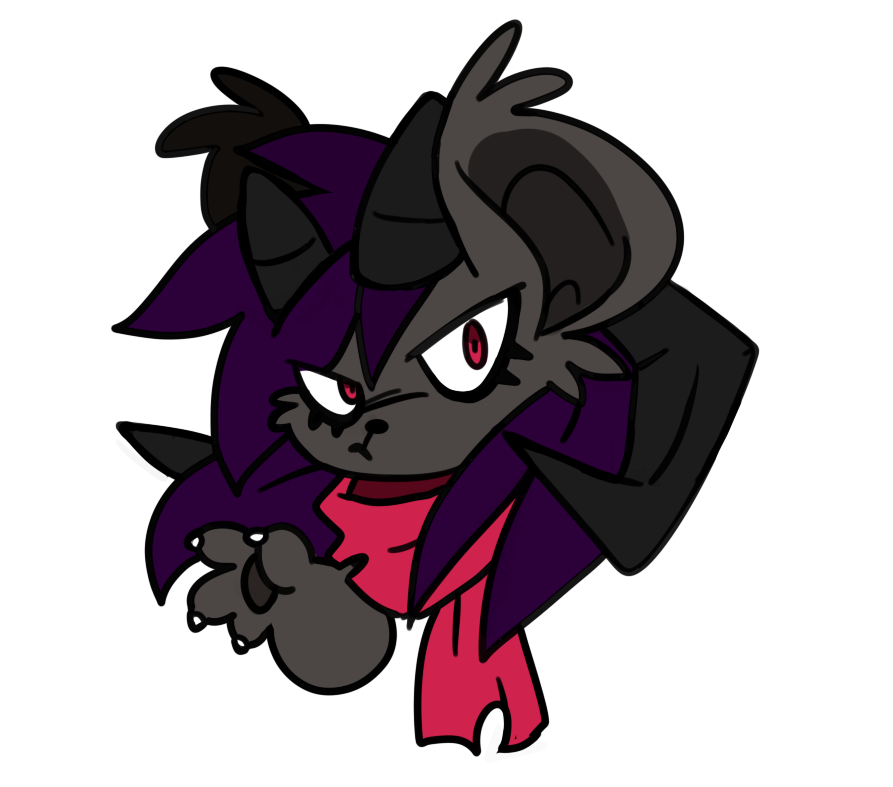 right click the image and view it in the next tab, it should come off as this - if it does, the bg is transparent  |